Physical Address
H 100 Okhla Phase 1, New Delhi 110020
Physical Address
H 100 Okhla Phase 1, New Delhi 110020

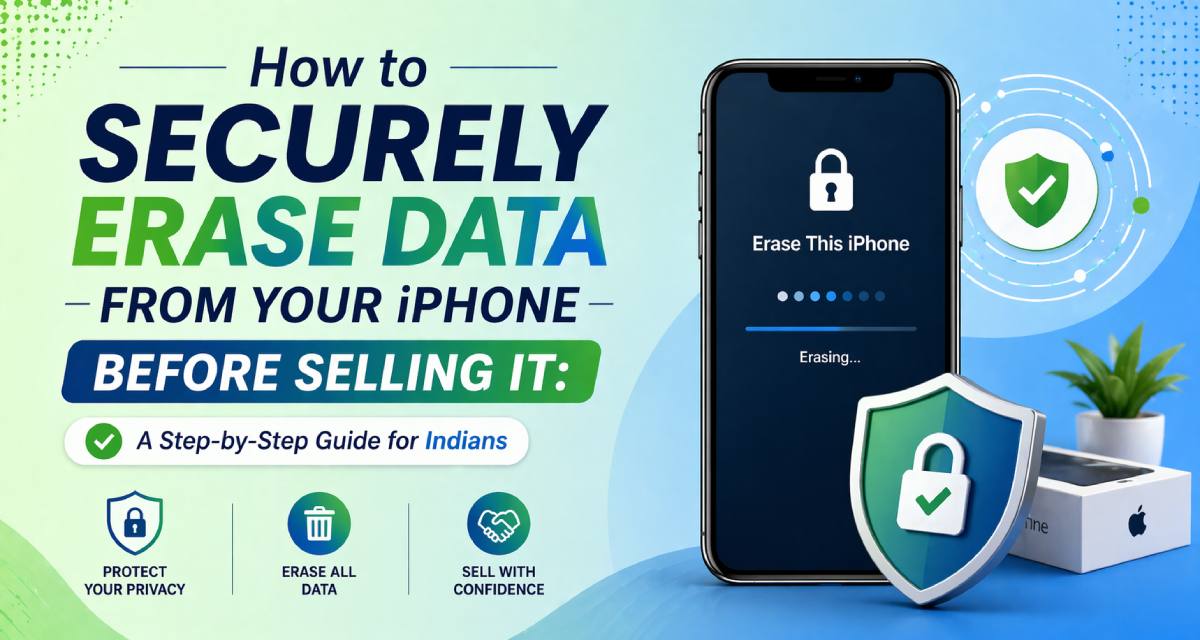
Hello to my fellow user of an iPhone! If you’re reading this, I am going to guess you are either going to upgrade soon to the iPhone 16 or you want to sell your old iPhone 13 so you can buy new clothes before Diwali. Selling used phones is an awesome idea and is especially great for India, as the secondhand market is thriving right now with places like OLX, Cashify, and Facebook Marketplace having millions of people checking daily. However, before you agree to sell your phone, please consider what kind of information you have saved on your phone.
Let’s take a minute to think about all that information saved on it. UPI PIN, Bank Apps logged in, Aadhaar details, family trip to Goa photos, shopping late at night on Flipkart, etc. When you give someone your iPhone without erasing all the data, it’s like giving them your entire digital diary. That should concern you. Weekly reports on data hacks are commonplace at the start of 2026; hence, there is an urgent need to wipe out all data on your iPhone before putting it up for sale.
In this guide, I will take you through every single detail of the process. I will be taking you through why this is important (even more so for us Indians), how to do this efficiently (the right way according to Apple), what not to do, and finally, some insider tips to ensure that you get top dollar for your device.
Consider the following example: you factory reset your phone, high-five yourself for a job well done, and make a sale of Rs. 25,000. After a while, as soon as the buyer resets your phone, what happens? Your WhatsApp conversations, your transactions made through Paytm, Google Pay, and everything else start appearing in front of you again. While it might sound like something that comes right out of a Bollywood movie, this has actually happened. As per a report by Kaspersky, 2025.
Why is this a big deal for Indians? Our phones are our lives. We store Aadhaar cards, PAN details, voter IDs, and bank statements right there. Cybercriminals love this—stolen data fuels phishing scams targeting UPI users, which jumped 25% last year per RBI stats. One wrong move, and you could face identity theft, fraudulent loans in your name, or worse.
However, it is not only about risk but also about the financial gain. Clean phones cost more than shady ones. The cost difference can be estimated at 10-15% higher. Wiping the phone will help you build buyer trust and sell faster while protecting your personal information online. How about learning the correct wiping process now?
Before erasing anything, back up! And the ecosystem makes it very easy for us Indians who manage family pictures, office documents, and memes.
You can start off with iCloud, which is free for up to 5GB throughout the country. Go to Settings -> [Your Name] -> iCloud -> iCloud Backup and click on Back Up Now. For more space (₹75/month for 50GB), upgrade via the App Store—perfect if you’re heavy on high-res Holi pics.
If iCloud feels limited, use a Mac or PC. Connect via USB, open Finder (Mac) or iTunes (Windows), select your device, and hit “Back Up Now.” Encrypt it with a password for full security—covers Health data and passwords too.
Pro tip for Indians: Back up UPI apps separately. Take screenshots of your linked accounts or note recovery keys. Apps like PhonePe or BHIM might need re-verification post-restore anyway.
Once backed up, verify it. Restore a test photo on another device. Now you’re safe to wipe—no tears over lost vacation videos!
Apple’s built-in reset is your first line of defence. It erases all content and settings, but follow these steps precisely for India’s fast-paced life.
First, sign out of iCloud. Go to Settings > [Your Name] > Sign Out. Enter your Apple ID password and choose “Keep a Copy” if you want local files (but iCloud should have them). This unlink prevents Activation Lock—buyers hate bricked phones!
Next, deactivate Find My iPhone: Settings > [Your Name] > Find My > Find My iPhone > Turn Off. Again, Apple ID password needed.
Now, the reset: Settings > General > Transfer or Reset iPhone > Erase All Content and Settings. Confirm, enter passcode, and wait 5-15 minutes. It’ll restart like new.
Is it secure? For most, yes—Apple’s encryption (AES 256-bit) makes data unrecoverable without your key. But if you’re paranoid (smart in 2026’s cyber world), combine with our next methods.
Test it: After reset, set up as new. No old data should appear. Boom—your iPhone’s ready for resale.
Lost your iPhone in Delhi traffic? No problem. iCloud’s remote erase is a lifesaver.
From any browser, go to iCloud.com, sign in, and select Find My iPhone. Pick your device, click Erase iPhone. It’ll wipe everything instantly, even if offline (syncs later).
For Indians, this shines during monsoons or festivals when phones go missing. Post-erase, the device shows “Erase Complete”—remove from your account to fully deactivate.
Bonus: It plays a sound first, helping locate it. Secure, hands-free, and buyer-friendly.
Need military-strength wipe? Grab a computer. Install Apple Configurator (free on Mac), or iMazing (₹3,000 single-use license, popular in India).
Attach your iPhone to it and place it in Recovery mode (click Volume Up, Volume Down, and then the Side button until the recovery interface appears). In Finder/iTunes, choose Restore.
What’s the difference? Many passes delete leftovers. Programs such as iOS-based versions of DBAN help erase everything securely—a must when selling expensive iPhones such as the iPhone 15 Pro.
Time: 30-60 mins. Cost: Free with Apple tools. Result: A pristine device fetching top rupee.
Factory reset good? Sure. But for us savvy Indians, level up.
Real story: My friend in Bangalore sold his iPhone without SIM removal—the buyer accessed his Jio balance. Lesson learned!
We’ve all been there. Avoid these to save headaches.
Rushing the reset without backup—poof, wedding photos gone. Always verify first.
Forgetting Find My—your iPhone becomes a ₹50,000 paperweight for the buyer. They can’t activate without your Apple ID.
Ignoring iOS updates. Reset on the latest iOS 19.4 (April 2026) for best encryption. Check Settings > General > Software Update.
Selling on shady platforms without proof. Use apps like Cashify for certified wipes—they scan post-reset.
And carrier locks: Call your provider (Airtel? Dial 198) to unlock before selling.
Steer clear, and you’ll close deals faster.
Now, let’s talk about making money from your freshly wiped iPhone. Enter Reebuy—India’s go-to platform for hassle-free gadget buyback, and I’m proud to spotlight them here as your content partner.
Reebuy isn’t any other reseller but a game-changer company based in Delhi that aims to change the way Indians buy used gadgets. Established in 2020, it has handled more than 5 lakh gadgets, offering its users ₹500+ crore cash. Why do I say so? Because they offer instant quotes from the app, where one only needs to scan his/her phone (iPhone 13 will cost ₹20,000-28,000 based on the condition).
Reebuy offers an amazing hassle-free procedure, which is free pickup across India (same-day pickup for metro cities), followed by a 48-hour inspection at Reebuy’s centre situated in Delhi, Noida, and Bangalore. Finally, money transfer happens through the bank transfer method via UPI/IMPS.
For security nuts, Reebuy shines. They mandate proof of erase (screenshots), use NIST-compliant wiping on-site, and offer “Zero Data Risk Guarantee.” Sold 10,000+ iPhones last quarter alone, with 98% seller ratings on Trustpilot.
Indian perks? GST invoices, PAN-linked payouts for taxes, and eco-focus—they refurbish 80% of devices, cutting e-waste (huge in our landfills). Plus, contests like “Trade Your Old iPhone, Win AirPods”—perfect for festive seasons.
Compared to Cashify or Budli, Reebuy pays 5-10% more on average, with transparent pricing (no “sudden deductions”). App integrates with Flipkart/Amazon for cross-checks. Whether you’re in Mumbai’s bustle or Chennai’s heat, Reebuy handles logistics flawlessly.
I’ve seen users double their resale game here—wipe your iPhone per our guide, quote on Reebuy, and pocket max cash stress-free. Download their app today; use code REEBUY2026 for ₹500 extra!
Wiped? Now polish it. Clean the screen with a microfiber (₹100 on Amazon), remove cases/stickers. Take crisp photos—front, back, ports lit well.
Describe honestly: “iPhone 12, 128GB, mint condition, fully wiped iOS 19.4.” Price check on Reebuy or OLX.
Test functions: Camera, speakers, and charging. Buyers love videos.
Package smart: Original box? Gold. Else, bubble wrap.
Legal note: Mention “Data fully erased” in listings to build trust.
Apple’s pushing boundaries. iOS 20 rumours hint at quantum-resistant encryption and AI-driven wipe audits. For Indians, expect better UPI integration in backups.
Stay ahead: Enable Advanced Data Protection in iCloud for end-to-end protection.
That’s it for your entire guide to safely erase data on your device before selling it. You have all the info you need to erase your data safely from your iPhone, back up, use advanced wipes, avoid mistakes, and partner with professionals like Reebuy so that you can sell your old phone for money while not losing your personal information.
In a country where our phones hold our financial fate, taking these steps isn’t just smart—it’s empowering. So, grab that iPhone, follow the guide, get your payout, and upgrade worry-free. What’s stopping you? Your next big sale awaits!