Physical Address
H 100 Okhla Phase 1, New Delhi 110020
Physical Address
H 100 Okhla Phase 1, New Delhi 110020

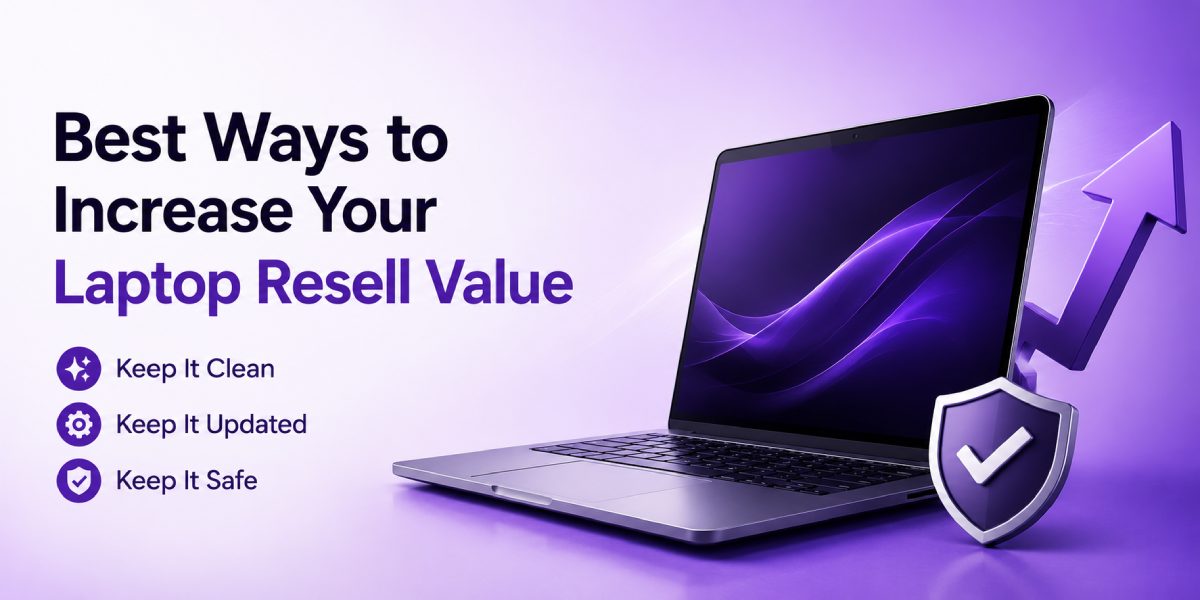
Selling an old laptop in India can be surprisingly profitable if you prepare it correctly. Whether you are buying a new one, moving, or cutting down on expenses, some thoughtfulness and correct strategy could fetch you a couple of thousand extra rupees in your sale. This article offers simple ways to increase the resale value of your laptop and help you sell it better and make more profit.
When you replace a laptop, the resale price directly reduces the net cost of your new device. A laptop that’s well-maintained can fetch a significantly higher price than one that looks and performs poorly. The buyer is looking for something that is not only neat and working well but also transferable. By spending just a little bit of money and some time on your computer, you will be able to make it more appealing and ensure a quick sale.
The condition of the exterior affects the price that a buyer is willing to pay. A laptop with a scratched case, dirty keyboard, or stained palm pad looks neglected despite functioning perfectly well internally. The use of microfiber cloths, isopropyl alcohol (70% or more), and brushes to clean dust from the laptop’s air vents and keyboard will go a long way. It is equally important to clean the LCD screen using an appropriate cleaner that will remove any stains on the screen.
Small fixes that have major payoffs include replacing any missing rubber pads, tightening or replacing any loose screws, and purchasing a replacement bezel or lid for laptops that feature a cracked or badly scratched lid. Similarly, in laptops where the keyboard has been damaged or is old, it might be possible to obtain the entire laptop lid or just key caps to make your laptop seem like a brand-new unit.
Laptops are typically more expensive when sold with their original chargers, boxes, manuals, and other accessories such as stylus pens or docking stations. If you still have all of these items, make sure to include them in the transaction. Accessory items can give the buyer assurance that the laptop has been well cared for.
If the original box is unavailable, provide high-quality substitute accessories and a sturdy carrying case for transportation purposes. Make sure to also provide an original charger that will work perfectly with the laptop.
Write an accurate and informative description. Include the precise name of the model, the processor used, the amount of RAM, whether it is an HDD or an SSD, the screen resolution, the number of cycles left in the battery, if possible, and also whether there have been any repairs done to the laptop. Buyers in India generally value honesty, and hence having an accurate listing of your laptop with pictures and details will be beneficial for you.
Take detailed pictures in natural light at various angles. Include pictures of the ports, hinges, the keyboard, the screen (showing the system specifications), and the sticker carrying the model number and the serial number. You can create a small video of the boot-up process and ports working, along with the illuminated keyboard.
Not all upgrades are created equal when it comes to returns. For many situations, replacing the storage with an SSD and adding additional RAM might be a good idea. An SSD will help speed up the boot time as well as launching programs. Many Indians, whether students, professionals, or even work-from-homers, are more concerned about actual performance improvements than cosmetic improvements.
Providing your laptop can support it, go ahead and replace the storage with an SSD while maximising the RAM capacity according to your computer’s limit. These are very affordable in India, considering their competitive prices and efficient service centres. Save your receipts for future reference and make sure to mention them in your ad.
Battery health is a very important selling point. Most people will ask about the lifespan of the battery, as it may become expensive to change in case the current one needs changing. In case your battery maintains charge very well, indicate battery health or battery cycles when selling your laptop. If it is a weak battery and it is within your reach to replace it, then go ahead and do so, as it adds value.
Another important thing to do is test your laptop’s charging port, brick, and power adapter to ensure that it charges properly and starts without any flickering. It is also advisable to sell your laptop with a charger or a compatible charger.
Having a new software configuration allows you to immediately start using the laptop and indicates that the deal was done professionally. Make backups of all personal information on your computer and then do a complete system wipe or OS reinstallation. If the computer is running Windows, then delete all accounts, perform a factory reset and make sure the computer is updated. If the computer uses a macOS system, then sign out of iCloud, perform a factory reset and install the latest version of macOS. The best scenario for a Linux operating system is a fresh installation with firmware and driver installation.
After this procedure, download the necessary drivers and updates and create a demo account on the computer. Show system specifications via one image or screenshot, and don’t forget to clear the device of your personal information.
Some laptops include licensed software such as Windows, Office, or bundled security suites. If the license is transferable, provide the license information. For OEM licenses tied to the machine, make sure the buyer understands how activation works. If you purchased software separately and the license is transferable, include that as a selling point—licensed operating systems and software increase trust and perceived value.
Honesty helps you get a fair price faster. Disclose any known issues like screen dead pixels, hinge looseness, battery degradation, or cosmetic damage. An upfront disclosure prevents disputes and negative reviews if you sell through an online platform. For buyers in India who prefer dealing with transparent sellers, this will often mean smoother negotiations and faster payment.
Check the going rate by comparing your laptop with other laptops that are currently available and in a comparable state. You will be able to get an idea from Indian buyback sites, online auctions, and secondhand laptop sales. The rate at which you price your laptop should depend on its state, age, and any additional features that you might add, such as a new charger or SSD.
Ensure that your sales are done strategically. The arrival of new laptop models or events such as Diwali may lower your chances of sales since people will want to purchase the new items. Academic periods and recruitment months like January-March and July-August could lead to increased demand for good-value and fast laptops.
Copywriting for your product description should be clear and direct, with emphasis placed on the customer’s gain from buying your laptop. Start by writing about the simple features of the laptop and then highlight its best features, like any recent changes, battery conditions, or additional gadgets. The description should not only be clear but also appealing to both technical users and common people. Mentioning that it can be picked up or that it is eligible for a transfer of the warranty will attract customers.
Include photos and videos, and try to make sure you use good quality. Pictures will increase the credibility of your listing and minimise unnecessary questions. It is important to note that in India, customers may prefer calling you on your phone or WhatsApp to discuss further.
Where you sell matters; you can list on general classifieds, social media marketplaces, or specialised buyback platforms. The convenience, security, and often competitive prices offered by reputable buyback services have made them the preferred choice for most sellers in India who seek home delivery pick-up, an immediate quote, and payment via bank transfer. They normally evaluate your mobile phone and quote you their final price in cash.
Reebuy stands out for many sellers in India because it offers a transparent, fast process with reliable payouts. Their platform caters to Indian users, manages pickup and inspection efficiently, and often offers competitive quotes for well-maintained devices. If you value speed and simplicity—especially when you’re replacing your laptop and want a smooth transition—using a reputable service like Reebuy can save time and give you confidence in the sale.
When selling face-to-face, choose a secure, public meeting location and use safe payment options. When delivering by door pick-up or courier, carefully pack your computer in a box with plenty of bubble wrap to prevent shipping damage. Include an invoice printout or note describing the condition of the computer and its accessories.
Confirm payment method before transfer. Bank transfers or payments through official platform channels are safer than cash for higher-value devices. If using a buyback platform, follow their recommended steps for packaging and documentation to ensure smooth processing and timely payment.
Negotiation is bound to happen during the process of selling. Determine your minimum selling price before even advertising your laptop, and don’t go below it. In case of negotiation, make sure to remind the buyers that your laptop boasts a new SSD, a recently replaced battery, restored factory settings, and all its accessories intact.
Even after you’ve reset the laptop, take extra steps to protect your data. Remove any external storage, unlink Bluetooth devices, and wipe any recovery USB drives. If you used full-disk encryption, ensure the new installation does not retain keys tied to your accounts. If you sold a laptop with a locked firmware password or activation lock, provide the necessary removal steps or remove locks before transfer. A buyer will pay more for a laptop that’s ready to use without software barriers.
If your laptop has a transferable warranty or extended service plans in India, make the transfer process clear and include the necessary documents. For laptops bought through employer programs or with specific usage restrictions, clarify any transferability issues. Honest disclosure of warranty status, insurance, or tied subscriptions prevents post-sale disputes and reassures buyers.
Ensure a quick check is done before you hand it over: that it does turn on and boot up without any issues, that it has the correct amount of storage and RAM as stated in its specification, charges adequately, and that there aren’t any other login pages displayed. It would also help to include a printout of its system info page.
It is not necessary that selling laptops in India must be an exhausting or disappointing process. By cleaning, upgrading, documenting, and listing your laptop on reputable platforms, you can significantly increase its resale value. Keep all accessories intact, service the laptop if needed, and remove unnecessary software or personal data to make the device more appealing to buyers. Sellers looking for an easy process would find companies like Reebuy most suitable.